Getting Started in Bake Breads to Escape
Learn the kitchen loop, claim gems, buy early upgrades, and set up your first escape attempt.
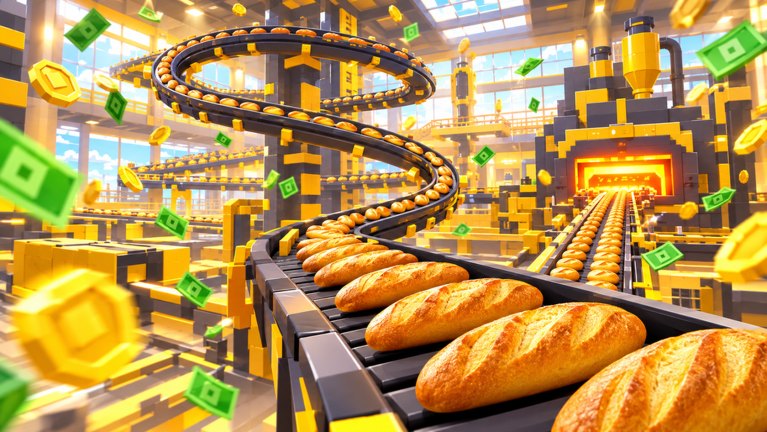
Bake Breads to Escape (often shown in-game as [UPD] Bake Breads to Escape!) is a chill Roblox simulation from Bros League. You are stuck in Chef Crumb’s kitchen until the day’s bread quota is baked and you can buy your freedom. This beginner guide walks through controls basics, the first dough → oven → sell loop, early upgrades, gem rewards, pets, and inviting friends—without inventing prices or unpublished buffs.
If you want the big-picture map of every tutorial on the wiki, return to the Guides Hub anytime.
What kind of game this is
Expect a cozy incremental bakery loop, not a horror escape room. Maturity is Minimal. Genre sits in Simulation / Incremental Simulator. You can play solo or with up to three friends sharing the line. Servers allow more players overall (max players listed around a dozen), but your meaningful co-op party is that small friend group. The game released 2026-10-25 and keeps updating, so UI labels may shift slightly after patches—trust the in-game shop text when numbers disagree with memory.
First minutes: find the line
Join from the Roblox place page and load into the kitchen. Orient yourself around four stations that define the run:
- Dough pickup — grab raw dough for the batch.
- Cutting / prep — portion dough so it is ready for the oven belt.
- Oven belt — send prepared dough through baking.
- Counter / sell — sell fresh bread for cash that funds upgrades and, eventually, escape.
Movement and interaction follow standard Roblox patterns (walk, jump, proximity prompts or click-to-interact on stations). If a prompt does not appear, step closer or clear a jammed animation by releasing the key and retrying. Do not overthink controls on day one—throughput comes from repeating the loop cleanly, not from fancy movement tech.
The core loop (memorize this)
Grab dough → cut it → send it down the oven belt → sell fresh bread at the counter → spend cash on upgrades (and later escape).
Every advanced tip on this wiki is a way to make that sentence faster or less idle. Early on you will work with bare hands and a basic table. Cash feels slow until the first few upgrades land. Resist the urge to stand still waiting for one loaf; keep moving between stations so dough is always in flight.
A healthy first-session rhythm looks like:
- Always have dough in hand or on the belt.
- Never leave finished bread unsold if the counter is free.
- Spend cash when a station is clearly the bottleneck (you wait on cut speed, carry capacity, bake speed, or sell speed).
- Claim daily and playtime gem rewards when the UI offers them—gems are a separate progression track from cash.
Early upgrades without fake prices
The upgrade fantasy is clear: climb from bare hands toward industrial machines across tools, backpack, and table. Exact coin costs change with balance patches, so this guide will not invent a price table. Instead use a bottleneck checklist after every few sales:
- Backpack / carry — you make too many trips for too little dough or bread.
- Tools / cut speed — dough piles up uncut while the oven sits empty.
- Table / prep surface — you cannot stage enough work for the belt.
- Oven throughput — cut dough waits forever to bake.
- Sell speed — bread stacks while cash stays low.
Spend on the worst pain first. A detailed priority framework lives in the Upgrades Guide. For your first hour, one or two sensible buys beat hoarding for a flashy late upgrade you cannot feed yet.
Gems: daily and playtime
Cash buys kitchen power; gems come from daily rewards and playtime rewards. Open those panels early in a session so you do not forget them after a long bake. Spend gems on whatever the live shop highlights as durable value (pets, cosmetics, or boosts—verify in-client). Never invent a gem exchange rate here; check the current UI.
Promo codes, when Bros League publishes them, are redeemed through the flow described on the Codes hub. Guides on this site will not fabricate code strings.
Pets on the line
Three named helpers matter for beginners: Dough Pup, Cocoa Cat, and Oven Dragon. Pets work the line with you—think of them as extra hands that keep dough moving while you sell or cut. Exact adoption costs and percentage buffs belong in the live game and the dedicated Pets Guide. Practical day-one advice:
- Adopt a pet as soon as you can afford a meaningful helper instead of sitting on a huge cash pile with an empty slot.
- Pair pets with upgrades: a pet cannot fix a zero-capacity backpack forever, and a fancy tool wastes potential if nobody feeds the oven.
- Revisit pet priority after your first successful Day shift escape attempt.
Classes and special perks
You can roll classes that grant special perks. Treat class rolls as a spice layer after the loop is comfortable. Read perk text in-game before rebuilding your entire upgrade plan around a roll that might change on the next spin. Relative rankings can later live on the Tier List hub once you have enough samples to judge.
Shifts: start on Day
Shift types include Day, Overtime, Night, and Holiday Rush. As a beginner, default to Day until you can finish a quota without panic. Harder shifts raise intensity and reward feel; they punish empty belts. Full comparison and when to push each option is in the Shifts Guide. Escape planning across shifts is covered in How to Escape.
Invite friends (co-op)
Invite up to three friends for a four-person kitchen when you want shared labor. Before the shift starts, assign roles out loud:
- Dough + cut
- Oven belt
- Counter sales
- Floater / pet manager (or second cut if you are three)
Idle players are the real co-op tax. If two people stand at the same station, reassign immediately. Solo players should not feel behind—the loop is fully playable alone; friends simply multiply hands.
First-session checklist
- Complete one full dough → cut → oven → sell cycle without stopping mid-way.
- Claim daily and playtime gem rewards.
- Buy one upgrade that removes your clearest bottleneck.
- Attempt a calm Day shift with escape as a soft goal, not a stress test.
- If affordable, adopt a first pet and note how the line feels with help.
- Bookmark How to Escape, Pets Guide, Upgrades Guide, Shifts Guide, Codes, and the Tier List.
Watch the loop in motion
The embedded walkthrough below shows a real Bake Breads to Escape session so you can match station layout and pacing before you optimize. Use it as visual orientation, then return here for the checklist.
After the first hour
When Day feels automatic, stop grinding the same mistakes: read escape strategy, invest in pets and upgrades with intent, then sample Overtime or Night only when your belt stays full. Check Updates after patches so you know if quota or shop text moved. Chef Crumb’s door opens for bakers who keep bread moving—not for bakers who AFK at the counter hoping the quota fills itself.
Frequently Asked Questions
Quick answers for bakers chasing Chef Crumb's quota.
What is the basic loop in Bake Breads to Escape?
Grab dough, cut it, send it down the oven belt, sell fresh bread at the counter for cash, then upgrade tools, backpack, and table. Repeat until you can hit quota and buy freedom.
Should I play Day or Holiday Rush as a beginner?
Start on Day. Learn the stations and buy early upgrades first. Overtime, Night, and Holiday Rush are better once your throughput can handle the pressure.
How do I earn gems?
Claim daily rewards and playtime rewards in the game UI. Check those panels every session so you do not miss free gem progress.
Can I play with friends?
Yes. Solo works fine, or invite up to three friends and assign roles (dough/cut, oven, counter, floater) so nobody stands idle.
Where should I go after this beginner guide?
Read How to Escape next, then Pets Guide, Upgrades Guide, and Shifts Guide. Use Codes for promos and Tier List for relative rankings once you have playtime.